I was intrigued by the idea of storing images in DNS records, and I wanted to test out how effectively images could be stored in DNS records. I've always been interested in TXT records because they seem to be a useful way of storing arbitrary data, and in this blog post I'll discuss how I went from an idea to developing the project into almost a protocol sort of method for storing an image on a domain name.
So, an image inside DNS? How can it be done? Well the most obvious way and the method I tried here was storing the data inside TXT records. Firstly, we need to find a way to store the image inside the dns records. At first the method I tried was simply getting the hex characters of the data. We get this using the command below:
xxd -p output.jpg > output.txtThis will not be as efficient as storing the data in base64 format, as this will use 2x the space where base64 would only use 1.33x the file size, however for testing I believe it is fine to use for now.
The next hurdle is as you can see below, when I tried to just add all the hex data in one txt record, cloudflare shows us an error:

So, we need to split our hex data into 2048 character chunks. A simple python script can be written to do this and found below:
image = open("output.txt", "r").read()
image = image.replace("\n", "")
chunks = []

total = int(len(image)/2048)+1

for i in range(total):
    chunk = image[i*2048:(i+1)*2048]
    print(f"Chunk #{i+1}, size: {len(chunk)}")
    chunks.append(chunk)

domain = "asherfalcon.com"

with open(f"{domain}.txt", "a") as dns:
    for chunkIndex in range(len(chunks)):
        dns.write(f"dnsimg-{chunkIndex+1}.{domain}.\t60\tIN\tTXT\t\"{chunks[chunkIndex]}\"\n")
    dns.write(f"dnsimg-count.{domain}.\t60\tIN\tTXT\t\"{len(chunks)}\"\n")
This will create a txt record for each chunk of the image, and a 'dnsimg-count' record for the total number of chunks. The count is necessary so that when we want to load the image, we know how many chunks exist and how many we need to request.
We can then upload the dns file to cloudflare and import it, which will create all the records for us. After a few minutes using the dig command we can see that the chunks have been stored. Cloudflare splits them up into additional chunks per record but that is not an issue as we can just concatenate them.
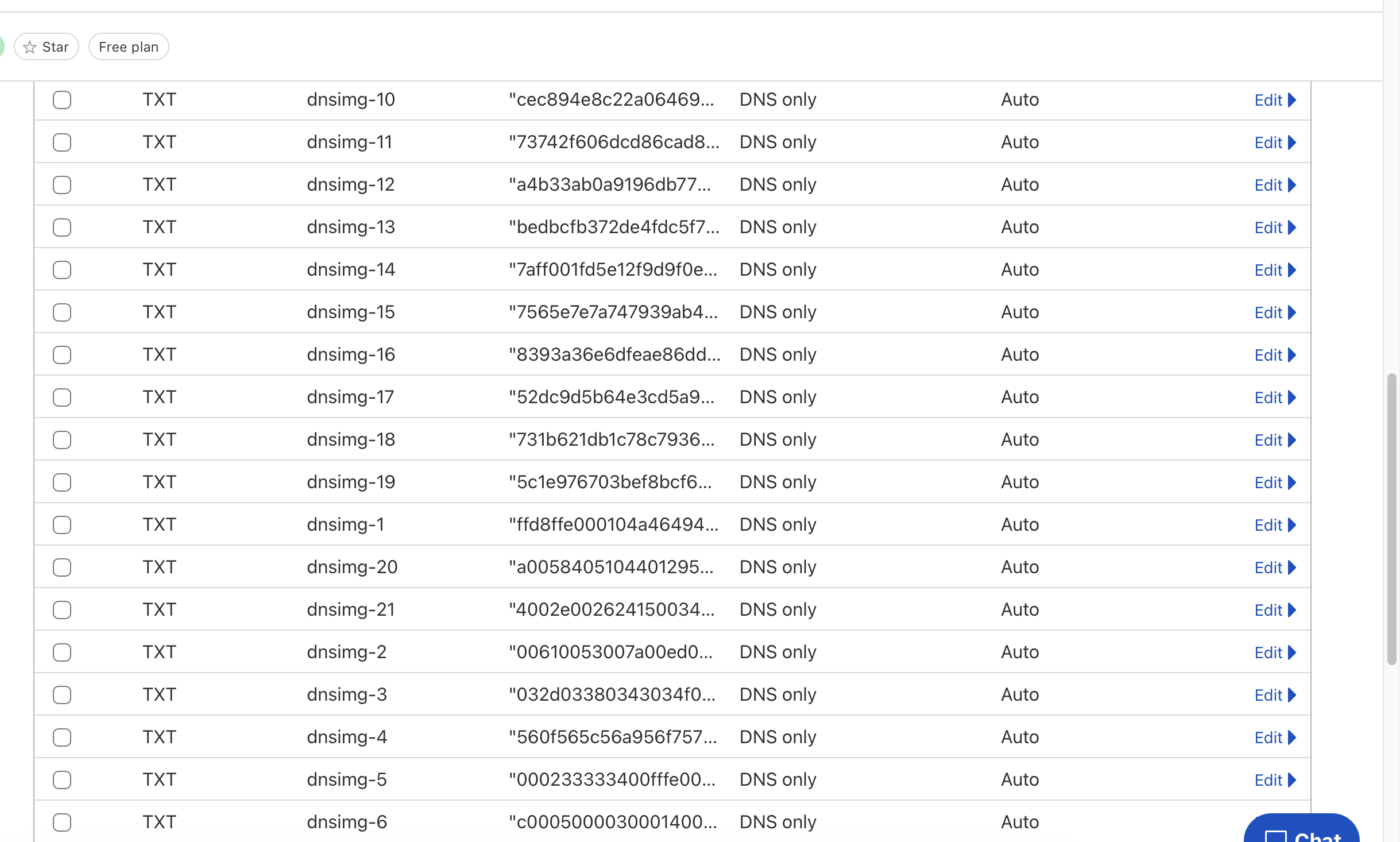
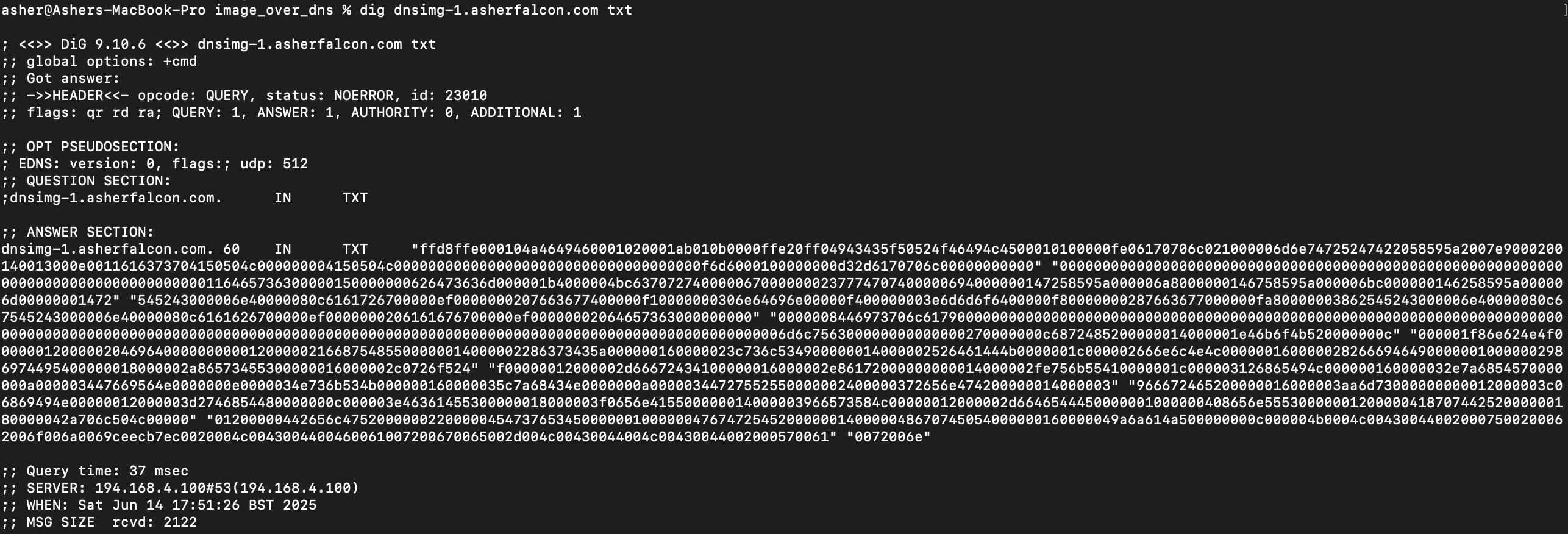
Now we know that our data is out there, lets try rebuild the image from the dns records. We can write another simple python script to fetch them using dig asynchronously and then concatenate them into a single file, in jpg format:
import subprocess
import threading
import sys

class bcolors:
    HEADER = '\033[95m'
    OKBLUE = '\033[94m'
    OKCYAN = '\033[96m'
    OKGREEN = '\033[92m'
    WARNING = '\033[93m'
    FAIL = '\033[91m'
    ENDC = '\033[0m'
    BOLD = '\033[1m'
    UNDERLINE = '\033[4m'

# Replace with your domain
domain = "containerback.com"

# Run the dig command
result = subprocess.run(
    ["dig", "@8.8.8.8", "+short", f"dnsimg-count.{domain}", "TXT"],
    stdout=subprocess.PIPE,
    stderr=subprocess.PIPE,
    text=True
)

chunks = []

def printStatus():
    msg = bcolors.OKBLUE+"["
    for i in chunks:
        if(i==""):
            msg+=bcolors.FAIL+"#"
        else:
            msg+=bcolors.OKGREEN+"#"
    msg+=bcolors.OKBLUE+"]"
    print(msg)

def getChunk(chunkIndex):
    chunk = subprocess.run(
        ["dig", "+short", f"dnsimg-{chunkIndex+1}.{domain}", "TXT"],
        stdout=subprocess.PIPE,
        stderr=subprocess.PIPE,
        text=True
    )
    if(chunk.stdout!=""):
        chunkData = chunk.stdout.replace(" ","").replace("\"","").replace("\n","")
        chunks[chunkIndex] = chunkData
    else:
        print(f"Err {chunkIndex} {chunk.stderr} '{chunk.stdout}'")

if(result.stdout == ""):
    print("No dnsimg found")
else:
    size = int(result.stdout[1:-2])
    print(f"Found dnsimg with {size} chunks")

    chunks = [""]*size

    threads = []

    for chunkIndex in range(size):
        threads.append(threading.Thread(target=getChunk, args=(chunkIndex,)))

    for t in threads:
        t.start()

    for t in threads:
        t.join()
        printStatus()

    printStatus()
    with open("dnsimg.jpg", "wb") as output:
        output.write(bytes.fromhex("".join(chunks)))
When I first tried this I don't think the records had properly propagated, so I had to wait a few minutes before I could see the image. Look below to see the (slightly) corrupted image created when a few records were missing:

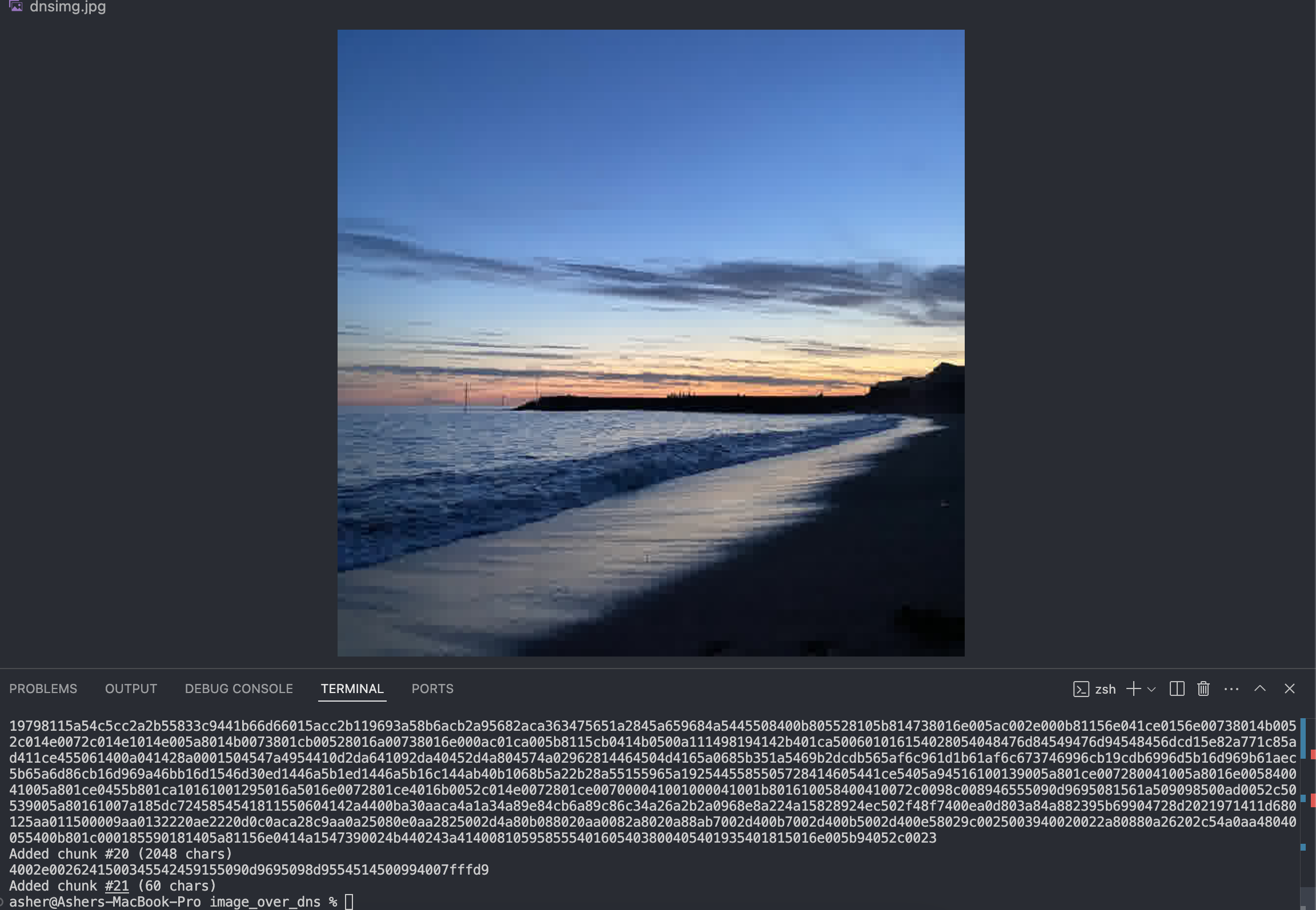
After waiting another 10 or so minutes, we can run it again and get the full image through! The image is stored in 21 chunks of 2048 characters, and is not a terribly high resolution but it serves as a good first proof of concept:
Next I wanted to try some larger images, which mostly worked but I found an upper bound when I tried a (over 1MB) image. Not sure if this is a cloudflare limit or a wider rule but here's the error I got:

So, finally I created a lovely web tool you can try out here which allows you to type a domain and load its image. I created images on the domains 'asherfalcon.com' and 'containerback.com' but you should try add images to your own domains! You can use a domain or any subdomain and use the scripts in the repository here to create your own image.
I hope you enjoyed this blog post! If you have any questions or comments, please feel free to reach out.